

Kelverion Integration Module for ServiceNow
Automate ServiceNow processes from Azure Automation and build them faster with Kelverion Runbook Studio.
ServiceNow provides a cloud-based platform for digitising and automating work across IT and the wider enterprise. In IT Service Management, it brings incident, change, problem, request, knowledge, and configuration management together on one platform, helping service teams reduce manual effort, improve resolution quality, and deliver more consistent employee experiences.
For many organisations, ServiceNow becomes the system of record for service operations. It captures demand through tickets and requests, routes work to the right teams, records approvals and outcomes, and provides the audit trail needed to support governance, reporting, and continuous improvement
Typical Automation Scenarios
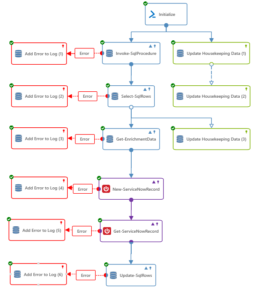
- Incident Creation and Enrichment
Create ServiceNow incidents from monitoring alerts, automation failures, or operational events, then update the ticket as remediation progresses - Request Fulfilment
Automate common service requests such as user onboarding, access changes, mailbox tasks, group membership updates, and standard IT tasks - Record Retrieval and Filtering
Query ServiceNow tables using configurable filters and use the returned data to drive runbook decisions - Ticket Updates and Closure
Update records with runbook outcomes, diagnostic results, approval status, or completion notes - Attachment Handling
Upload and download attachments to support evidence capture, audit requirements, or fulfilment documentation - Configuration Item Updates
Import or maintain CI data as part of automated operational processes - Remote Diagnostics and Remediation
Trigger technical checks, remediation steps, or escalation actions directly from service desk workflows
Benefits at a Glance
- Build ServiceNow Automations Faster
Use ready-built activities instead of hand-coding each API interaction - Reduce the Need for Specialist Scripting Skills
Create ServiceNow-enabled runbooks through low-code and no-code graphical authoring in Runbook Studio - Improve Accuracy
Mandatory inputs, read-only field controls, value browsers, and discovered field mappings help reduce common configuration errors - Connect Service Requests to Fulfilment
Turn ServiceNow tickets and requests into automated actions across cloud, on-premises, and hybrid environments - Standardise Repeatable Work
Package common operational processes as governed, reusable runbooks running in Azure Automation - Support Multiple Environments
Use Smart Connections to work with different ServiceNow instances where required - Accelerate Time to Value
Combine ServiceNow integration with Runbook Studio’s graphical design, collaboration, version control, and Azure Automation execution
Key Capabilities
- Ready-built ServiceNow activities for Azure Automation and Runbook Studio.
- Smart Discovery of ServiceNow tables, fields, filters, and record structures.
- Forms-driven configuration that reduces the need to write or understand PowerShell.
- Automatic mapping of ServiceNow record fields to runbook inputs and outputs.
- Reusable Smart Connections for one or more ServiceNow instances.
- Support for common ServiceNow operations including selecting, creating, updating, importing, and working with records and attachments.
- Integration with Runbook Studio’s drag-and-drop graphical authoring, Git-based collaboration, version control, and release management.
- Execution through Microsoft Azure Automation for scalable, cloud-based runbook automation.
Integration Activities
| Activity Name | Description |
|---|---|
| Add-ServiceNowAttachmentContent | Upload an attachment to a ServiceNow record |
| Get-ServiceNowAttachmentContent | Download the content of an attachment |
| Get-ServiceNowAttachmentInfo | Get details of the attachments for a ServiceNow record |
| Get-ServiceNowRecord | Get details of ServiceNow records |
| Get-ServiceNowRecordCount | Count ServiceNow records |
| Get-ServiceNowRefreshToken | Get a refresh token for OAuth 2.0 authentication |
| Import-ServiceNowRecord | Create or update a ServiceNow record using an import set |
| New-ServiceNowRecord | Create a new ServiceNow record |
| Remove-ServiceNowRecord | Remote a ServiceNow record |
| Set-ServiceNowRecord | Update an existing ServiceNow record |