
Integration Pack for Nagios XI
The Kelverion Integration Pack for Nagios XI connects enterprise infrastructure monitoring with proven IT process automation, helping operations teams detect issues, trigger runbooks, acknowledge alerts, schedule downtime, and streamline incident response from within Orchestrator.
Nagios XI is an enterprise-grade IT infrastructure monitoring and alerting platform designed to help organisations monitor the availability, health, and performance of servers, networks, applications, databases, cloud workloads, and critical services. Built on the proven Nagios monitoring engine, it provides real-time visibility, custom dashboards, reporting, alerting, capacity planning, and extensibility through plugins and integrations.
For IT operations teams, Nagios XI acts as a central monitoring system that identifies changes in host and service state, raises notifications when thresholds are breached, and provides the operational insight needed to reduce downtime and respond faster to infrastructure issues.
For IT operations teams, Nagios XI acts as a central monitoring system that identifies changes in host and service state, raises notifications when thresholds are breached, and provides the operational insight needed to reduce downtime and respond faster to infrastructure issues.
Typical Automation Scenarios
Monitor Nagios XI for new alerts, collect host and service status, retrieve log entries, and run first-level diagnostic checks before escalating to an engineer
Create or update service desk tickets with Nagios XI alert details, affected host or service information, state history, and diagnostic results
Automatically acknowledge Nagios XI problems when an Orchestrator runbook has accepted ownership or opened an incident
Schedule downtime in Nagios XI as part of a change management or maintenance runbook, then remove or update downtime as work progresses
Feed Nagios XI monitoring events into wider event management, ITSM, or reporting processes to create a single pane of glass for operations
Detect a service issue, run a remediation action, re-check service status, update the incident, and record the outcome automatically
Benefits at a Glance
- Automate Alert Response
Trigger Orchestrator runbooks from Nagios XI monitoring events and reduce manual triage - Standardise Operational Processes
Use repeatable runbooks for diagnostics, escalation, ticket creation, remediation, and closure - Improve Mean Time to Resolution
Retrieve relevant host, service, alert, log, and state history information automatically so teams can act faster - Reduce Custom Integration Effort
Use reusable Kelverion activities instead of building and maintaining bespoke API scripts - Support a Manager-of-Managers Model
Consolidate Nagios XI events into a broader event management or service desk workflow for a single operational view - Extend Existing Orchestrator Investments
Add Nagios XI automation to established System Center Orchestrator environments without changing the service desk or monitoring strategy
Key Capabilities
- Monitor alerts, host status, service status, and log entries from Nagios XI
- Retrieve alerts, host status, services, service status, log entries, and state history
- Acknowledge Nagios XI problems and remove acknowledgements when required
- Schedule downtime and retrieve scheduled downtime information
- Build reusable Orchestrator runbooks that connect monitoring, diagnostics, service desk, change, and remediation processes
- Use Nagios XI as a state-based monitoring source for downstream event management, reporting, and automation workflows
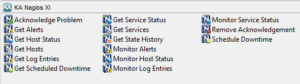
Integration Activities
| Activity Name | Description |
|---|---|
| Acknowledge-Problem | Acknowledge host and service problems |
| Get-Alerts | Retrieve and filter host and service alerts |
| Get-HostStatus | Retrieve and filter host status information |
| Get-Hosts | Retrieve and filter hosts |
| Get-LogEntries | Retrieve and filter log enteries |
| Get-ScheduledDowntime | Retrieve and filter host and service scheduled downtime infomation |
| Get-ServiceStatus | Retrive and filter service status infomation |
| Get-Services | Retrieve and filter services |
| Get-StateHistory | Retrieve and filter host and service state history infomation |
| Monitor-Alerts | Monitor host and services alerts |
| Monitor-HostStatus | Detect status changes for hosts |
| Monitor-LogEntries | Monitor log entries |
| Monitor-ServiceStatus | Detect status changes |
| Remove-Acknowledgement | Remove a host or service problem acknowledgement |
| Schedule-Downtime | Schedule a host or service downtime period |