
Automated Patching Solution
Automate the definition, scheduling, execution and reporting of server patching with a ready-built Kelverion solution designed for Microsoft Azure Automation, Runbook Studio and controlled self-service operations.
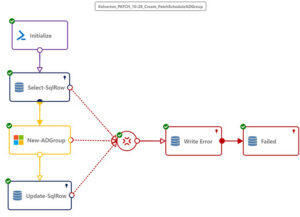
The solution uses Azure automation runbooks to discover and maintain the data that drives patching requests, keeping the self-service portal aligned with the patching environment. Approved users or server owners can select the appropriate patch schedule for their servers through a controlled interface, while automation handles the underlying administration and execution steps. This helps reduce reliance on privileged administrators while maintaining governance, change control and operational visibility.
The Challenge: Manual Patching Is Still Too Risky and Time Consuming
Patching servers is essential for security, compliance and service reliability, but many IT teams still rely on manual coordination, disconnected scripts, spreadsheet schedules and specialist administrators to keep environments up to date. Even where patching tools exist, the process often remains labour-intensive because teams must agree maintenance windows, identify owners, validate server groups, raise change requests, track exceptions and follow up failed deployments.
These manual and partially scripted processes create avoidable risk. Patch cycles can take too long to plan and execute. Critical systems may reboot outside approved windows. Windows and Linux estates may be managed differently. Failed deployments may be difficult to identify quickly. Compliance reporting can become a manual reconciliation exercise. Device owners may not have a simple way to select the right patch schedule for their services, leaving IT teams to carry the operational burden every month.
Typical Automation Scenarios
- Server owners selecting approved patch schedules through a self-service portal
- Automated discovery of servers, schedules and patching data to keep request forms current
- Creation and execution of patch deployment schedules for Windows and Linux servers
- Change-controlled patch deployment linked to an approved service desk request
- Automated alerts when patch deployments fail or require remediation
- Compliance reporting to show which servers are patched, pending, failed or require manual action
- Extension of patching workflows into service desk, CMDB, monitoring or reporting systems
Benefits at a Glance
- Reduce Manual Patching Effort
Automate repetitive administration steps so skilled engineers spend less time coordinating monthly patch cycles - Improve Patch Compliance
Use repeatable runbooks, reporting and alerts to identify patch status, deployment failures and exceptions more quickly - Delegate Scheduling Safely
Allow server or service owners to select approved patch schedules without giving them direct administrative control over patch tooling - Protect Service Availability
Align patching with approved maintenance windows and reduce the risk of critical systems patching or rebooting at the wrong time - Strengthen Governance
Connect patch activity to change control, request tracking and operational reporting - Extend Automation Value
Adapt the runbooks and integrations in Runbook Studio as environments, processes and compliance requirements evolve
Key Capabilities
- Packaged Azure Automation runbooks for patching administration and orchestration
- Self-service interface for server owners and approved users to manage patch schedule selection
- Automated administration for patch schedule creation, update deployment and supporting patch tasks
- Discovery-driven portal data so request options stay aligned with the patching environment
- Alerting and reporting for patch deployment failures and compliance status
- Runbook Studio authoring for low-code maintenance, extension and adaptation of the automation process
- Integration options for service desk, database and enterprise management systems through Kelverion Smart Integration Modules
Why Kelverion?
Kelverion specialises in Microsoft automation and helps organisations simplify IT operations across Azure Automation, Runbook Studio, Power Automate, Logic Apps, PowerShell and System Center Orchestrator. Kelverion solutions are designed to wrap automation around the systems customers already use, adding ready-built runbooks, self-service access, smart integrations and practical implementation expertise.
With the Kelverion Automated Patching Solution, customers gain more than a set of scripts. They gain a structured automation accelerator that helps reduce process cycle time, improve consistency, support compliance and make patching easier to operate month after month.
Ready to make patching faster, safer and easier to manage? Speak to Kelverion about the Automated Patching Solution and Runbook Studio, request a demonstration or arrange an automation workshop to see how governed patch automation can reduce manual effort and improve compliance across your server estate.
.